
Problem and fix in Smart locks and access
Smart lock battery died? How to get in and stop it happening again in Vancouver, BC
If your smart lock battery died at a Vancouver, BC door, use the mechanical key if the lock has one. Schlage says its keypad deadbolts and levers open with the key override when the battery fails. Its Touch series takes a 9V jumpstart and its Encode series does not, so the key is the backup until new batteries go in.
By the Saturn Home Automation team Updated
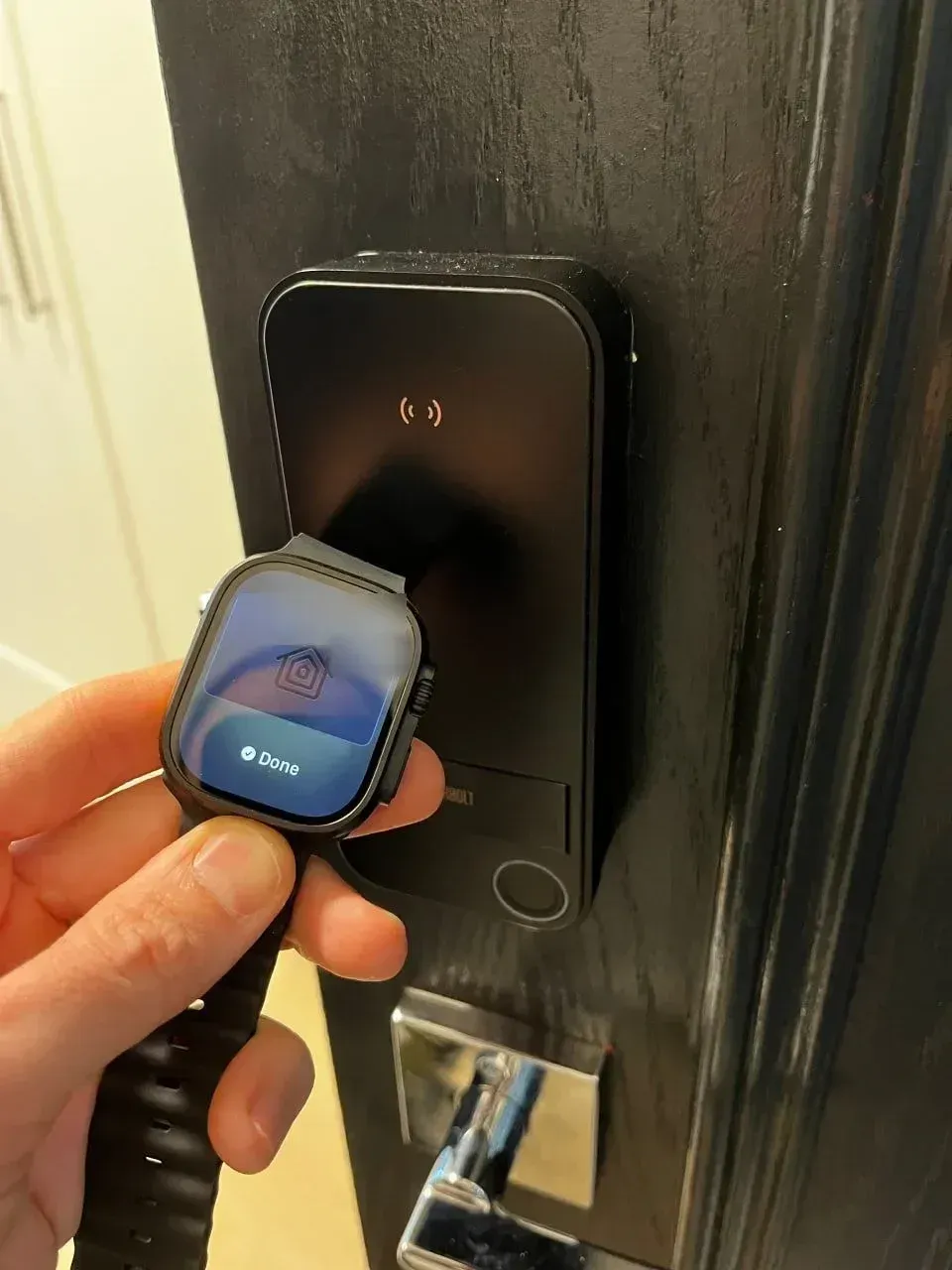
What a dead battery means for a smart lock
A dead battery means the electronics stopped, not that the door is stuck. The backup depends on the model, so check which one your lock has.
Schlage’s key override page names three keypad deadbolt and lever models: the BE365, FE595 and FE575. If the battery fails or there is an electronic error, Schlage says they can be opened with the mechanical key override. Schlage also says its smart deadbolts are battery-powered and need no hardwiring, so a power cut alone does not stop the lock.
Smart lock still acting up after new batteries?
Dead battery symptoms, likely cause, safe check and when to call
- Keypad dark and the lock does not respond Likely flat batteries. Use the mechanical key override. Schlage says a keypad deadbolt or lever can be opened that way if the battery fails or there is an electronic error.
- A touchscreen model and no key to hand Schlage's Touch series takes a 9V jumpstart; its Encode series does not. Check your lock's manual for model steps, and do not force the lock if no key can be reached.
- Warnings missed Look for the low battery icon after entering a code, and the app history log. Turn on low battery notifications.
- Batteries draining fast Schlage advises AA alkaline batteries, not rechargeables, for an Encode lock.
- Power cut at home Battery locks keep working without mains power, but remote control stops if the home hub or Wi-Fi is down.
- Still failing after fresh batteries Call for a maintenance visit. Saturn offers scheduled checkups or on-demand support for devices, automations and systems.
Likely causes, most likely first
Flat batteries come first, and they usually give warning.
- Batteries ran down. An Encode lock shows a flashing low battery icon after a code is entered, and it records low and critically low battery events in the Schlage Home app history.
- Warnings were off or missed. Schlage lists low battery notifications among its smart lock features.
- The wrong batteries. Schlage advises AA alkaline batteries, not rechargeables.
- Hub or Wi-Fi down. The lock still works, but remote control needs the home hub. A HomePod, HomeView or Apple TV acts as the hub.
What you can safely check
Do these in order, and stop when the door opens.
- Try the mechanical key in the override cylinder.
- Check your lock’s manual for model steps. Schlage says Encode locks run on internal AA batteries and have no jumpstart, while the Touch series offers a 9V jumpstart.
- Once inside, fit fresh AA alkaline batteries.
- Check the app history for earlier low battery events.
One example: Kwikset lists a fingerprint lock that runs on 4 AA batteries. Count and type vary by model, so use the one in your lock’s manual. For jumpstart steps, follow the maker’s own pages for your model.
When to call
Stop and get help if the key does not open the door, or if you have no key and no jumpstart. A lockout at night or in winter is not a time to force the hardware. If the lock still fails after fresh batteries, that is a support visit.
If the lock is on a rental or strata door, check who holds the key. See changing locks in a BC rental and strata smart lock rules for who must agree before hardware changes.
How we help and how to prevent it
Saturn offers maintenance and support, as scheduled checkups or on-demand support for devices, automations and systems. A lock that fails after new batteries is a fit for a visit through our maintenance and support service, and new locks are covered under smart lock installation.
To prevent it:
- Turn on low battery notifications.
- Carry the mechanical key, or leave it with someone you trust, rather than inside the house.
- Use alkaline AA batteries, not rechargeables.
- Swap batteries when the low battery icon first shows.
For the safety side, see are smart locks safe. For a whole-home outage, see the smart home power outage guide, and for the lock options, types of smart locks.
The services behind this guide
Questions people ask
What happens if a smart lock battery dies?
Usually you use a backup. Schlage says a keypad deadbolt or lever opens with the mechanical key override if the battery fails. Some touchscreen models offer a 9V jumpstart, and Encode locks have none, so the key works until you replace the batteries. Check your own lock's manual for its backup.
How do you open a door lock when the battery is dead?
Use the mechanical key if the lock has one. On a Schlage Touch series lock, Schlage lists a 9V jumpstart as well. Encode locks do not have one. Model steps differ, so check your lock's manual instead of forcing the lock.
Will a smart lock still work in a power outage?
The lock keeps working, because Schlage says its smart deadbolts are battery-powered and need no hardwiring. Remote control stops if the home hub or Wi-Fi is down. The whole-home view is in our power outage guide.