
Problem and fix in Smart locks and access
Are smart locks safe? What to check for a Vancouver, BC front door
Smart locks are safe for a Vancouver, BC front door when the lock has a high BHMA security grade and its passwords, updates and network are set up well. Canada's cyber guidance says locks are of high interest to intruders because they can reveal a household's schedule, so the account needs as much care as the metal.
By the Saturn Home Automation team Updated
What safe means for a smart lock
A smart lock is two things: a bolt that has to resist force, and an account that has to resist guessing. Both can be strong or weak, so safe means checking each.
Get Cyber Safe, the Government of Canada’s public awareness site, says smart thermostats, lights and locks are of high interest to intruders because they can reveal a household’s schedule. It also says a hijacked smart device can expose location, camera images or microphone audio. Plan for that risk as well as for the strength of the bolt.
No lock is unpickable or hack-proof, so treat each risk the Canadian government names as one to reduce. The table lists what reduces each. To decide whether a smart lock fits your home at all, read are smart locks worth it.
Weighing a smart lock for your Vancouver front door?
| What reduces it | Source | Note | |
|---|---|---|---|
| A hijacked lock or hub reveals the household's schedule | Put smart devices on a separate network so that if one is hacked, the main network will likely be unaffected | Get Cyber Safe, smart device cyber security | Not a lock-specific list |
| Default or weak passwords | Change default passwords, use a passphrase and two-factor or multi-factor authentication | Canadian Centre for Cyber Security, IoT security | Same advice on both pages |
| Unpatched firmware | Install updates when prompted | Get Cyber Safe, smart device cyber security | Cyber Centre also says to apply updates |
| Remote opening of doors through an unsecured IoT device | Isolate IoT devices on their own network and turn off plug and play automatic connection | Canadian Centre for Cyber Security, IoT security | Lists opening doors among the risks |
| Forced entry by sledgehammer, pulling or weight | Choose a BHMA security grade of A, the top grade, or the overall AAA grade | Schlage, understanding security grades | The grade tests those three attacks |
| A flat battery locks you out | Turn on low battery notifications and keep the mechanical key override | Schlage, smart locks and keypad key override | Applies to the keypad models Schlage names |
Where the real risks come from
Four of the six risks in the table above sit in the account, software or network. One is physical force, and one is power.
Passwords and sign-in. The Canadian Centre for Cyber Security recommends changing default passwords and using passphrases and two-factor authentication. Get Cyber Safe gives the same passphrase and multi-factor advice.
Updates. Get Cyber Safe advises installing updates when prompted. The Cyber Centre also lists applying updates.
The network. The Cyber Centre lists unauthorized access to building security controls, such as opening doors, among the risks of poorly secured devices. Its controls include turning off plug and play automatic connection and isolating connected devices on their own network. Get Cyber Safe says that on a separate network, if one device is hacked, the main network will likely be unaffected.
Force. Schlage explains that the BHMA security grade measures how hardware withstands sledgehammer attacks, attempts to pull it from the door and weight such as a child hanging from a lever. Grades run C (good), B (better) and A (top), and AAA is the top grade in all three of security, durability and finish. Read the security grade itself, because that is the one that measures force.
What you can safely check yourself
Start with what you can do without tools.
- Check the lock’s packaging or spec page for its BHMA grade. Read the security grade, not just the overall one.
- Replace any default code or password, and use a passphrase on the lock’s account.
- Turn on multi-factor authentication where the lock’s app offers it.
- Install updates when the app prompts you.
- Turn off features you do not use, such as geolocation, microphones and cameras.
- Turn on low battery notifications and learn where your key override is.
Moving smart devices to a separate network is a router task. Our smart home network security checklist walks through it.
When to get help
Get help when a task is beyond a settings screen, or when the lock does something you did not ask it to.
- The lock changes state at times you did not set, or a code you did not make appears in its list.
- You cannot tell whether your door’s hardware has a security grade.
- The lock sits on a door you cannot test, such as a strata unit door where approval comes first.
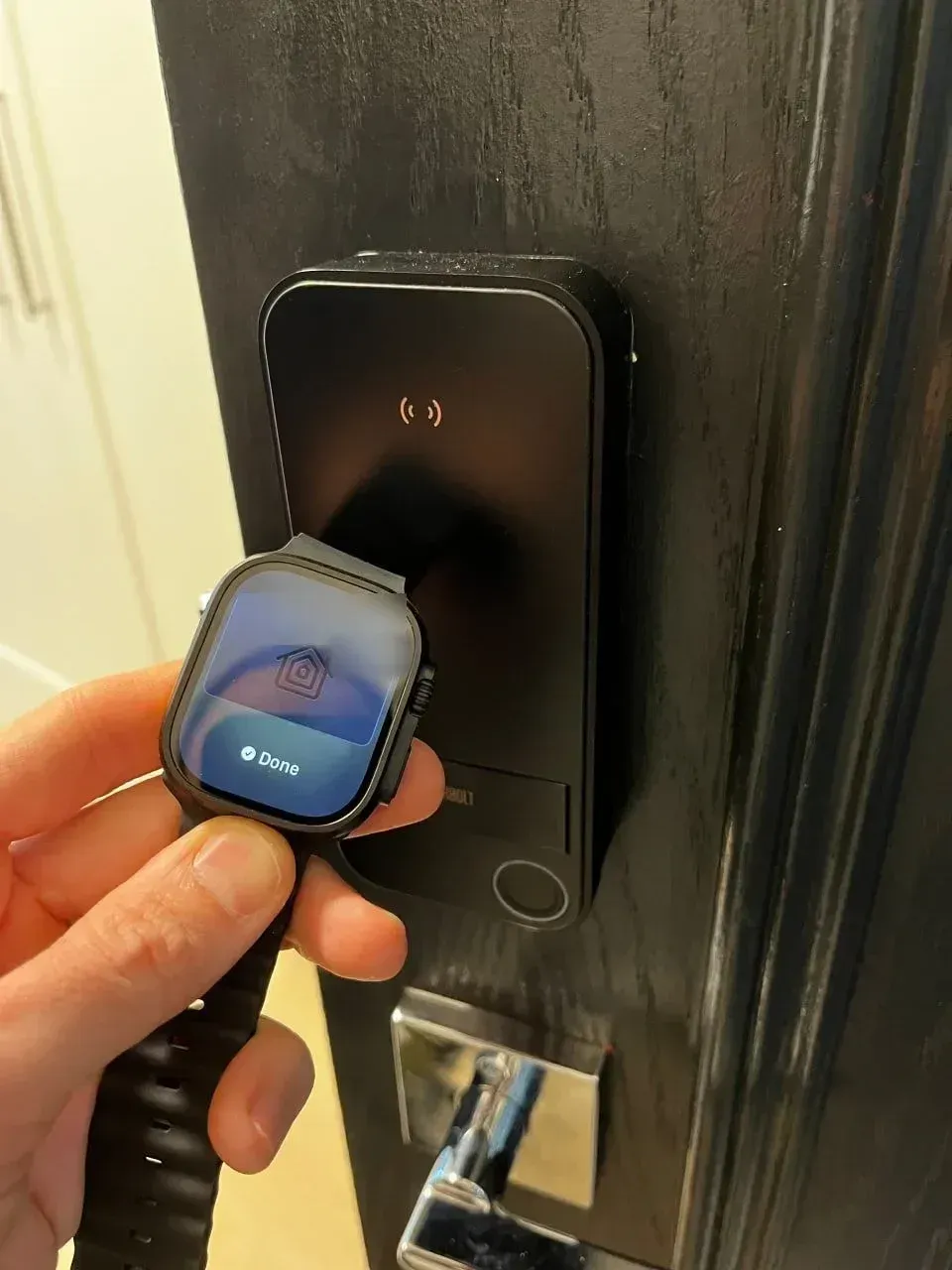
Our smart locks service covers fitting a lock that opens with a tap or an Apple Watch. If it misbehaves later, Saturn’s maintenance and support offers on-demand support.
How to prevent problems
Prevention is the same short list, repeated at intervals.
Pick a graded lock, set a passphrase and multi-factor authentication on day one, and install updates as they arrive. Keep the lock on its own network. Keep a key override reachable, because Schlage says its keypad models can be opened with the mechanical key if the battery fails.
Flat batteries can lock you out too, and the smart lock battery guide covers them. For the lock type that fits your door, see types of smart locks.
The service behind this guide
Questions people ask
Are smart locks easy to hack?
The Canadian Centre for Cyber Security lists unauthorized door opening among the risks of poorly secured connected devices. Its advice targets default passwords, missing updates and open network settings. A strong passphrase, multi-factor authentication, updates and a separate network address each one. No lock is hack-proof.
Are smart locks safe for a front door?
Yes, with conditions. For the door itself, look for a BHMA security grade, where A is the top grade and AAA is the top grade in all three categories. For the connected side, secure the account and network. Keep the mechanical key override for the day the batteries run out.
What does a BHMA grade on a lock mean?
BHMA grades rate door hardware separately for security, durability and finish. For each, C is good, B better and A the top grade, and AAA means top in all three. The security grade measures how hardware holds up to sledgehammer attacks, pulling from the door and weight such as a child hanging from a lever.