
Problem and fix in Planning, rules and support
Smart home power outage in Vancouver, BC: what to do before, during and after
A smart home power outage in Vancouver, BC ends remote control until the hub and internet are back. Plan around BC Hydro's advice: put the hub and router behind a surge suppressor or UPS, unplug sensitive electronics during the outage, and don't switch everything on at once. BC Hydro says outages can last a few hours, or a few days in a major storm.
By the Saturn Home Automation team Updated
What an outage does to a smart home
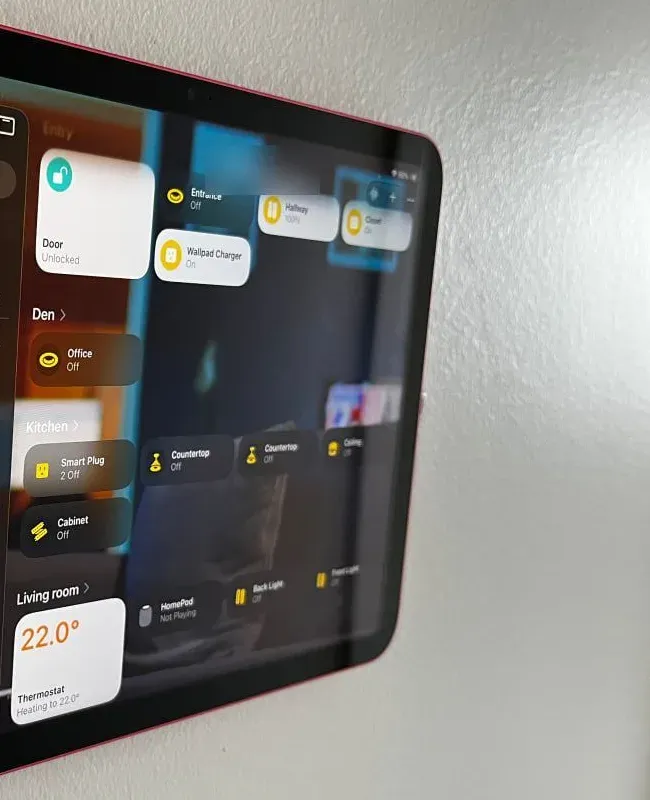
An outage cuts remote control first. A home hub is what lets you control accessories remotely, share access and run automations, and it needs power and your home network to do that. Matter-only devices need an internet-connected controller in the home, such as a smart speaker or hub, to be controlled from away.
So while the hub or internet is down, expect no control from your phone when you are out. Check each device’s manual for how it behaves without power. For locks, see what to do when a smart lock battery dies.
One note on resilience. Google says Thread devices form a mesh that reroutes around a failed device. That helps when one node fails, but not when the power to the whole house is out.
Smart home acting up after an outage?
Before, during and after an outage, BC Hydro's advice for a smart home
- Before: put the hub and router behind a surge suppressor or UPS BC Hydro suggests a surge suppressor or an uninterruptible power supply with surge suppression for sensitive electronics, and unplugging them in electrical storms.
- During: check the breaker panel, or call the building manager in a condo BC Hydro says to check your breaker panel or fuse box first. In an apartment or condo, an outage limited to your unit goes to the building manager or owner.
- During: turn off heaters and major appliances, unplug sensitive electronics BC Hydro also asks you to leave one light on inside and one outside, so you can see when power is back.
- During: expect no control from away while the hub or internet is down A home hub is what lets you control accessories remotely, and Matter-only devices need an internet-connected controller in the home to be controlled from away.
- During: expect it may last hours or days BC Hydro says outages can be restored quickly, last a few hours, or last a few days in a major storm or emergency.
- After: don't switch heating and everything on at once BC Hydro says to avoid turning on your heating system and many electronics and appliances as soon as power is back, so the system can stabilize.
- After: check the hub Apple's checks for a misbehaving hub are to update and restart it, then confirm it is in the home, on the home Wi-Fi and powered on.
- After: check the fridge and freezer A full fridge keeps food cold for about four hours. A full freezer keeps food frozen for up to 48 hours, or about 24 if half full.
Before: protect the hub and router
BC Hydro suggests protecting sensitive electronics with a surge suppressor or an uninterruptible power supply with surge suppression, and unplugging them during electrical storms. The hub and the router are the two devices your smart home leans on most.
For backup-battery or generator sizing, ask an electrician. To bring your devices into one system with the Apple Home app, see system integration.
During: what to check and unplug
Check your breaker panel or fuse box first. In an apartment or condo, an outage limited to your unit is reported to the building manager or owner.
Then follow BC Hydro’s list: turn off electric heaters and major appliances, unplug sensitive electronics, and leave one light on inside and one outside to show when power is back. Treat the hub and router like any sensitive electronics.
Outages can be restored very quickly, last a few hours, or last a few days in a major storm or emergency. For a long winter outage, frozen pipe alerts in Vancouver sets out the cold-weather thresholds.
After: bring things back gradually
After an extended outage, BC Hydro says to avoid turning on your heating system and many electronics and appliances as soon as power is back, so the system can stabilize. Bring things back a few at a time.
Then check the hub. Apple’s checks for a hub that misbehaves are to update and restart it, then confirm it is in the home, on the home Wi-Fi and powered on. If devices still do not answer, work through our HomeKit not responding guide.
Fridge and freezer timings
A full fridge keeps food cold for about four hours, and a full freezer keeps food frozen for up to 48 hours. A half-full freezer holds for about 24.
Those are BC Hydro’s figures, and they run on the clock whether or not your sensors can report. Remote control depends on the hub and internet, so do not count on a phone alert while either is down.
For scheduled checkups or on-demand help with a system that misbehaves after an outage, see maintenance and support.
The services behind this guide
Questions people ask
Can a smart home tell me when the power goes out?
It depends on your devices and apps, so check each maker's alert settings. A home hub is what lets you control accessories remotely, so while the hub or internet is down you lose remote control. Do not count on a phone alert while either is down.
What should I unplug during a power outage?
BC Hydro asks you to turn off electric heaters and major appliances and unplug sensitive electronics. It also suggests leaving one light on inside and one outside, so you can tell when power returns.
Why did my smart devices stop responding after the power came back?
Start with the hub. Apple's first checks are to update and restart the hub, then confirm it is in the home, on the home Wi-Fi and powered on. Our HomeKit not responding guide covers the six symptoms in order.