
Problem and fix in Apple Home and smart home platforms
HomeKit not responding in Vancouver, BC: causes and safe checks
When HomeKit is not responding in a Vancouver, BC home, check the home hub first. Apple's own steps are to update and restart the hub, then confirm it is in the home, on the home Wi-Fi and powered on. Work through the six symptoms below from the top; the first four start with the hub.
By the Saturn Home Automation team Updated
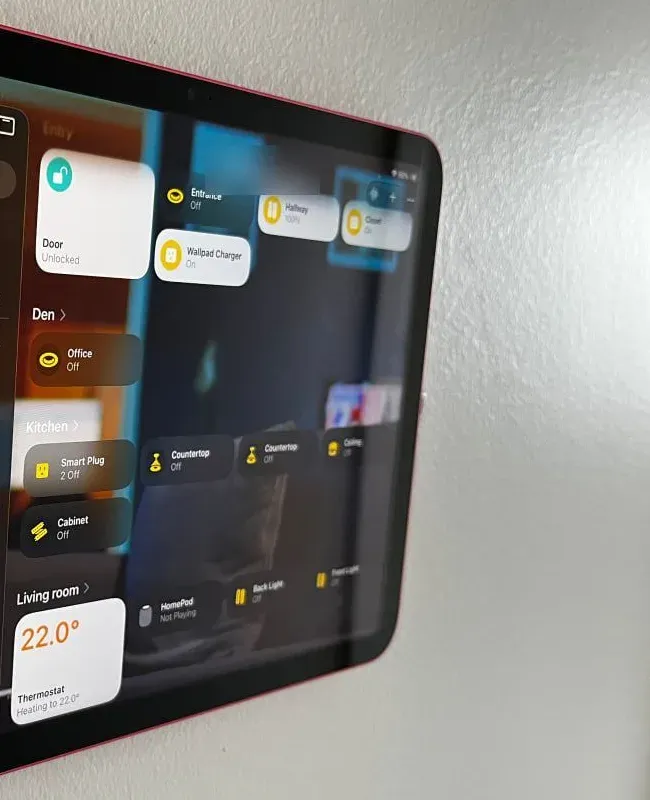
What a HomeKit not responding message means
A No Response label means the Home app cannot reach that accessory right now. It does not say why, so the useful question is how many accessories show it.
If every accessory shows it, suspect the hub. If one does, suspect the accessory or the radio it uses. A hub is what lets Apple Home control accessories remotely, share access and run automations. The Apple Home hub guide covers which devices can be one.
Apple Home accessories still not responding?
Saturn offers scheduled checkups or on-demand support for smart devices and automations.
Symptom, likely cause, safe check, when to call
- Every accessory shows No Response Likely cause: the hub is off, off the home Wi-Fi or out of date. Safe check: update and restart the hub, confirm it is in the home, on the home Wi-Fi and powered on. Call if the hub still fails Apple's checks.
- It works at home but not when you are away Likely cause: no home hub, or no controller in the home. Safe check: confirm a HomePod, HomeView or Apple TV is set up as a hub. Call if you have one and remote access still fails.
- Only Thread accessories fail Likely cause: no Thread-enabled hub or border router. Safe check: confirm the active hub is Thread-enabled, such as a HomePod mini or an Apple TV 4K (3rd generation or later) Wi-Fi + Ethernet, or that a supported third-party border router is in place. Call if you are unsure which hub is active.
- Nothing responds after a power cut Likely cause: the hub is not yet back on power or on the home Wi-Fi. Safe check: confirm it is powered on and on the home Wi-Fi, then run the rest of Apple's hub checks. After an extended outage, BC Hydro asks customers not to switch on heating and many electronics at once, so its electrical system can stabilize. Call if the hub is on and nothing recovers.
- A Matter accessory is paired in another app Likely cause: the accessory is also connected to another service. Safe check: open Settings > General > Matter Accessories and see which services it uses. Call if you cannot tell which app controls it.
- The hub cannot be added Likely cause: you are not the home's owner, or iCloud Keychain or two-factor authentication is off. Safe check: ask the owner to add it, and turn both on. Call if the owner cannot add it either.
Likely causes, hub first
The hub is the first suspect, and the rest follow from what the accessory is.
- The hub. Off, out of date, away from the home or off the home Wi-Fi.
- No hub or controller for remote use. Matter is a local technology, so Matter-only devices need an internet-connected controller in the home, such as a smart speaker or hub, to be controlled from away.
- Thread without a Thread hub. Thread-enabled Matter accessories need a Thread-enabled hub such as HomePod mini or Apple TV 4K (3rd generation or later) Wi-Fi + Ethernet, or a supported third-party border router.
- A power cut. The hub has to be back on power and on the home Wi-Fi, which is what Apple’s checks confirm. After an extended outage, BC Hydro also asks customers to avoid turning on heating and many electronics and appliances as soon as power is back. That gives its electrical system time to stabilize.
- Another app. A Matter accessory paired with another app can be added from any app that supports Matter, so more than one service may be connected.
- Owner access. Only the home’s owner can add a hub, and Apple asks for iCloud Keychain and two-factor authentication.
What you can safely check
These checks cost nothing.
Open the Home app and go to Home Settings > Home Hubs & Bridges. The active home hub is shown at the top. If the hub looks wrong, Apple’s steps are to update and restart it, then check it is in the home, on the home Wi-Fi and powered on. Turn on iCloud Keychain and two-factor authentication last.
For an accessory that more than one app can reach, open Settings > General > Matter Accessories. It lets you remove an accessory from one connected service or from all of them. Remove nothing until you know which app you want to keep.
After an extended power cut, BC Hydro asks you not to switch heating and many electronics on at once. Then run the hub checks above. The smart home power outage guide covers planning for the whole house.
When to call for support
Call when the hub passes Apple’s checks and accessories still show No Response, or when you cannot tell which hub is active.
Call as well if remote control fails with a hub in the home, or if a Thread accessory fails and you are not sure which device is the border router.
Saturn offers scheduled checkups or on-demand support for devices, automations and systems. The maintenance and support service page describes it. Ask what a visit includes when you book.
How to prevent it
Prevention is mostly about the hub and the power around it.
Keep one hub powered, on the home Wi-Fi and updated, and know which device it is. Apple lets you turn off Automatic Selection to choose a preferred hub. Turn on iCloud Keychain and two-factor authentication now rather than during a fault.
After an extended power cut, follow BC Hydro’s advice and avoid switching everything on together. Before you add Matter accessories, run the Matter and Apple Home checklist. Saturn’s system integration service brings lights, shades, locks, cameras and climate into one system with the Apple Home app.
The services behind this guide
Questions people ask
Why does HomeKit say No Response when I'm away from home?
Apple Home needs a home hub to control accessories remotely. If the hub is off, offline or was never set up, accessories answer at home and fail away from it. Matter-only devices also need an internet-connected controller in the home, such as a smart speaker or hub.
Why did HomeKit stop responding after a power outage?
Run Apple's hub checks once power is back: confirm the hub is in the home, on the home Wi-Fi and powered on, and update and restart it. After an extended outage, BC Hydro also asks customers not to switch on heating and many electronics at once, so its electrical system can stabilize.
Can I fix a HomeKit hub that stopped working myself?
You can run Apple's own checks yourself. Update and restart the hub, and confirm it is in the home, on the home Wi-Fi and powered on. Then turn on iCloud Keychain and two-factor authentication. Only the home's owner can add a hub, so start there.