
Process and timeline in Apple Home and smart home platforms
HomeKit hub in Vancouver, BC: which device to use and how to set it up
A HomeKit hub in Vancouver, BC is a HomePod, HomeView or Apple TV that stays in your home. It lets Apple Home control accessories from away, share access and run automations. HomePod and HomeView become hubs automatically when set up, an Apple TV becomes one once you add it to a room, and only the home's owner can do it.
By the Saturn Home Automation team Updated
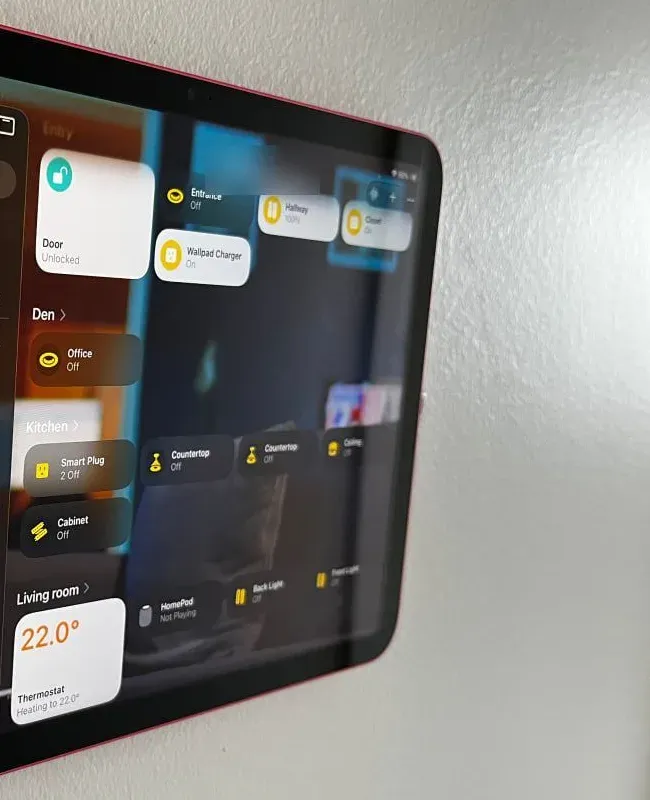
Hub setup at a glance
A hub takes three steps: pick the device, add it as the owner, then confirm it shows as active.
| Step | Who does it | What happens |
|---|---|---|
| Pick the device | You | HomePod, HomeView or Apple TV |
| Add it | The home’s owner | HomePod and HomeView become hubs automatically; an Apple TV becomes one when added to a room |
| Confirm it | You | Home Settings > Home Hubs & Bridges shows the active hub at the top |
Setting up an Apple Home hub in Vancouver?
Home hub setup checklist
- Choose the device HomePod and HomeView become home hubs automatically when set up. An Apple TV becomes one when you add it to a room in the Home app.
- Sign in as the home's owner Only the owner can add a HomePod, HomeView or Apple TV to the Home app as a hub.
- Check which hub is active Home Settings > Home Hubs & Bridges shows the active home hub at the top. Turn off Automatic Selection to pick a preferred hub.
- Match the hub to what you plan to add Thread-enabled Matter accessories need a Thread-enabled hub such as HomePod mini or Apple TV 4K (3rd generation or later) Wi-Fi + Ethernet, or a supported third-party border router.
- If the hub misbehaves, run Apple's checks Update and restart it, check it is in the home, on the home Wi-Fi and powered on, and turn on iCloud Keychain and two-factor authentication.
Which device becomes the hub, and how
HomePod and HomeView become home hubs automatically when set up, and an Apple TV becomes one when you add it to a room in the Home app.
If a home has more than one, the Home app chooses. Home Settings > Home Hubs & Bridges shows the active hub at the top, and you can turn off Automatic Selection to choose a preferred hub. Apple does not rank one device above the others.
For Thread accessories the choice narrows. You need a Thread-enabled hub, such as HomePod mini or Apple TV 4K (3rd generation or later) Wi-Fi + Ethernet. A supported third-party border router also works. The Thread vs Zigbee guide explains why that matters.
What needs a hub and what does not
Remote control, shared access and automations need a hub. Matter accessories also call for one, since Apple says to set up a home hub to add them.
Some cases work without one. With iOS 18 or later an iPhone can add and control Matter accessories without a hub, and an iPhone 15 Pro or later can control Thread accessories without one. Apple still advises a home hub.
Apple’s Home Hubs & Bridges screen also lists bridges, and the Home app supports bridges among its Matter accessory types. The Matter and Apple Home checklist covers what to check before buying a device.
What Apple checks when a hub misbehaves
Apple’s order is to update and restart the hub, then check it is in the home, on the home Wi-Fi and powered on. Last, turn on iCloud Keychain and two-factor authentication.
Do these in that order and stop when the hub returns to Home Settings > Home Hubs & Bridges as active. If it does not, the HomeKit not responding guide goes through the symptoms one by one.
Who can add the hub
Only the home’s owner can add a HomePod, HomeView or Apple TV to the Home app as a home hub.
Decide who the owner is before you buy hardware. Someone else in the household may be the owner even if you do the daily work.
Saturn works with Apple Home (HomeKit). For a build that needs a hub chosen and set up, see the system integration service.
The service behind this guide
Questions people ask
Does Apple TV or HomePod work better as a home hub?
Apple does not rank them. Both can be a hub, and a Thread accessory needs a Thread-enabled hub, such as HomePod mini or Apple TV 4K (3rd generation or later) Wi-Fi + Ethernet. If you own several, open Home Settings > Home Hubs & Bridges to see which is active, and turn off Automatic Selection to choose a preferred one.
What does a HomeKit hub do?
A home hub lets you control accessories remotely, share access with other people and run automations. Without one, an iPhone on iOS 18 or later can still add and control Matter accessories at home, but Apple still advises a hub.
Can anyone in the household set up the hub?
No. Only the home's owner can add a HomePod, HomeView or Apple TV to the Home app as a home hub. If the hub will not appear, check who owns the home in the Home app before you reset anything.