
Process and timeline in Planning, rules and support
How to take over a smart home system from another installer in Vancouver, BC
To take over a smart home system from another installer in Vancouver, BC, first confirm who owns the Home in the Apple Home app. Only the owner can add home hubs. Then list every accessory and connected service, collect setup codes before any reset, and change the passphrases the old installer knew.
By the Saturn Home Automation team Updated
Who owns the home and which hub runs it
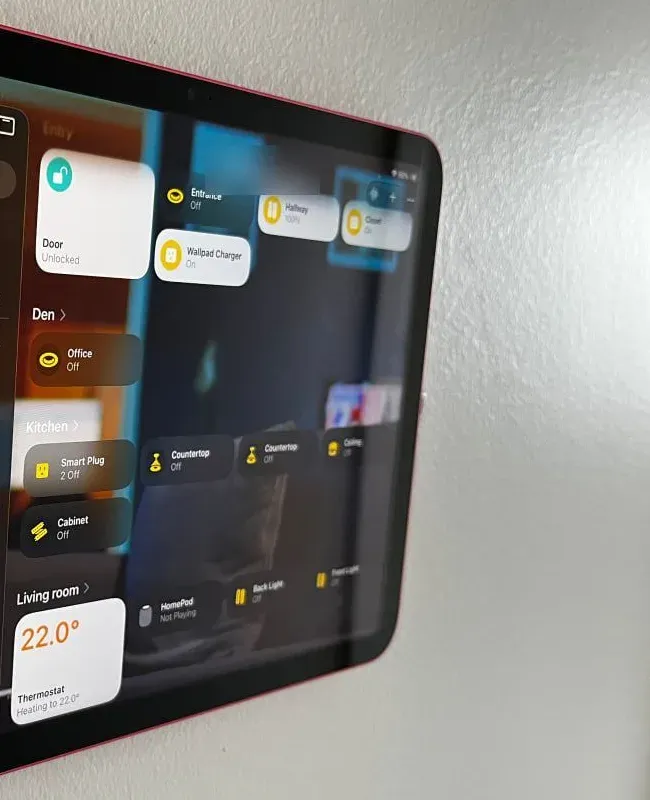
Ownership decides what you can change. Apple says only the home’s owner can add a HomePod, HomeView or Apple TV to the Home app as a home hub. If the old installer created the Home under their own Apple Account, you may be a guest in your own house.
Ask the installer, if they are reachable, to confirm the owner. If they are not, Home Settings in the Home app shows who the owner is. Ask Apple Support whether and how ownership can be moved to you.
Then find the hub. In the Home app, Home Settings > Home Hubs & Bridges shows the active home hub at the top. A hub is what lets you control accessories remotely, share access and run automations. Write down which device it is and where it sits.
Need ongoing support for your smart devices?
Saturn offers scheduled checkups or on-demand support for smart devices, automations and systems.
Handover checklist when a system's installer is gone or changes
- Confirm who owns the Home in the Home app Apple says only the home's owner can add a HomePod, HomeView or Apple TV as a home hub. If the installer's Apple Account owns the Home, you cannot add a hub from yours.
- Find the active hub In the Home app, Home Settings > Home Hubs & Bridges shows the active home hub at the top. You can turn off Automatic Selection to choose a preferred hub.
- List the Matter accessories and their connected services Settings > General > Matter Accessories shows each accessory and lets you remove it from one connected service or all of them.
- Remove the old installer's services, or keep them by choice Matter's multi-admin feature lets one device connect to several platforms and lets you choose which can access it. Keep a service only if you want it to.
- Collect setup codes before any reset Matter devices are set up with a numeric or QR setup code, so record each code before you reset anything.
- For a dealer platform, ask the installing integrator Control4 tells current customers to contact their installing integrator for support, so a platform like that can depend on the installer you no longer have.
- Change the passphrases the old installer knew The Cyber Centre recommends changing default passwords, using passphrases and two-factor authentication, and changing passphrases for every affected account and device after a compromise.
What the old installer’s services can still reach
A Matter accessory can be connected to more than one app or platform. In Apple’s Home app, Settings > General > Matter Accessories lets you remove an accessory from one connected service or from all of them.
Go through the list device by device. Remove any service that belongs to the old installer. Or keep it on purpose: Matter’s multi-admin feature lets one device connect to several platforms and lets you choose which can access it. Keeping a service is a choice you make, not a default you inherit.
Setup codes before any reset
Collect setup codes before you reset anything. Matter devices are set up with a numeric or QR setup code, and some makers also support tapping a phone on an NFC icon.
If the installer fitted a device into a wall or ceiling, find and record its code now, while you can still reach it. A reset is sometimes the only fix, as in our guide to HomeKit not responding, and it goes smoother when the code is in hand.
Dealer platforms and who supports them
Some systems are sold through dealers. Control4 says its systems are designed and installed by Control4 certified integrators. Owners can adjust and fine-tune some features without one, and current customers are told to contact their installing integrator for support.
If your system is on such a platform, your first call is to the integrator who installed it. If that business has closed, ask the platform’s maker what they can tell you. Our Apple Home vs Control4 guide explains how the two differ.
Passphrases to change at the end
Change what the old installer knew. The Cyber Centre’s IoT guidance recommends changing default passwords, using passphrases and two-factor authentication, and applying updates. If a device may be compromised, the Cyber Centre’s steps add powering it down, a factory reset, updating it and changing passphrases for every affected account and device.
That covers the Wi-Fi network, the router login and any account the installer set up for you. Our smart home network security guide covers the Government of Canada advice step by step.
For ongoing help, Saturn’s maintenance and support is scheduled checkups or on-demand support for devices, automations and systems.
The service behind this guide
Questions people ask
What happens if my smart home installer goes out of business?
Start by finding out who supported what. If your system runs on a dealer platform, Control4 tells customers to contact their installing integrator for support, so check who holds that relationship. Confirm you own the Apple Home, note the active hub and gather setup codes before anything changes.
Can I transfer a HomeKit home to a new owner?
Ask Apple Support whether and how ownership can move to you. Apple says only the home's owner can add a HomePod, HomeView or Apple TV as a home hub. Before a move or a handover, find out who the owner is.
Can two apps or platforms control the same Matter device?
Yes. Matter's multi-admin feature lets you connect one device to several platforms or apps and choose which can access it. In Apple's Home app, Matter Accessories shows a device's connected services and lets you remove it from one or from all of them.
Should I factory reset every device after taking over a system?
Not by default. The Cyber Centre lists a factory reset among the steps for a device that may be compromised, alongside powering it down, updating it and changing passphrases. Collect each device's setup code first, because Matter devices need it to be added again.
Sources
- Apple Support: Set up a home hub in the Home app
- Apple Support: Matter accessories in the Home app
- Connectivity Standards Alliance: Matter FAQ
- Control4: Why use an integrator
- Canadian Centre for Cyber Security: IoT security (ITSAP.00.012)
- Canadian Centre for Cyber Security: Voice-activated digital assistants (ITSAP.70.013)