
Checklist in Motorized blinds and shades
Smart blinds and HomeKit in Vancouver, BC: what a shade needs
Smart blinds work with HomeKit in Vancouver, BC homes in two ways. A shade joins Apple Home as a Matter shade, or through a maker's bridge such as Somfy TaHoma or Hunter Douglas PowerView. From iOS 18 an iPhone can add Matter shades without a home hub, though Apple recommends one.
By the Saturn Home Automation team Updated
Decide how the shade joins Apple Home
A shade reaches Apple Home one of two ways. Apple’s Home app supports Matter blinds and shades, along with lights, switches, outlets and several sensors. The other route is the maker’s own bridge. Somfy’s TaHoma switch hub lets shades be voice-controlled through Apple Home, Amazon Alexa and Google Assistant. Hunter Douglas PowerView shades can be run from Apple HomeKit as well as the PowerView app.
Check which route your shade uses before you buy. The checklist below follows the order we would take.
Want your Vancouver blinds to answer to Siri and the Home app?
What a shade needs to work in Apple Home, in order
- How it joins: a Matter shade, or the maker's bridge Why: Apple Home supports Matter blinds and shades. Otherwise the maker's bridge exposes the shade to Apple Home: Somfy's TaHoma lets shades be voice-controlled through Apple Home, and Hunter Douglas PowerView runs from Apple HomeKit among other options. Source: Apple Support; Somfy; Hunter Douglas.
- A home hub for remote control, sharing and automations Why: Apple says HomePod and HomeView become home hubs automatically when set up, and Apple TV becomes one when added to a room in the Home app. A hub lets you control accessories remotely, share access and run automations. Source: Apple Support.
- A Thread-capable hub if the shade is a Thread Matter device Why: Apple says Thread-enabled Matter accessories need a Thread-enabled home hub such as HomePod mini or Apple TV 4K (3rd generation or later) Wi-Fi + Ethernet, or a supported third-party border router. Source: Apple Support.
- Know what iOS 18 changes Why: from iOS 18, an iPhone can add and control Matter accessories without a home hub, though Apple still recommends a hub. Source: Apple Support.
- Plan the automations: open at sunrise, close at night, sensors Why: Saturn's shades job runs by handheld remote, app and voice, opens at sunrise and closes at night. Saturn's shades can also link to door and window sensors.
- Test voice control through Apple Home Why: Saturn works with Apple HomeKit, so shades can be controlled through Apple Home, and Somfy's TaHoma lets shades be voice-controlled through Apple Home. Source: Somfy.
A home hub adds remote control, sharing and automations
Apple says a home hub lets you control accessories remotely, share access with others and run automations. Which device to use and how to set it up are in our guide to the Apple Home hub.
From iOS 18 an iPhone can add and control Matter accessories without a hub, though Apple still recommends a hub. For shades that you want to control away from home or run on a schedule, plan on one.
A Thread shade needs a Thread-capable hub
Some Matter shades use Thread. Apple says a home hub is needed to add Matter accessories. Thread-enabled ones need a Thread-enabled hub such as a HomePod mini or an Apple TV 4K (3rd generation or later) Wi-Fi + Ethernet, or a supported third-party border router. If the shade’s box says Thread, check this item first. Matter and Apple Home covers the standard for any device.
Automations and Siri make the shade useful day to day
Saturn’s own shades job runs by handheld remote, app and voice, and is set to open at sunrise and close at night. Saturn’s shades can also run on schedules, sunlight or occupancy and link to door and window sensors.
Saturn works with Apple HomeKit, so its shades can be controlled through Apple Home, including by voice. The wider list of control methods is in how motorized shades work.
Saturn plans the set-up while you choose the shade
Saturn’s shades can be controlled by voice and run on schedules, so the set-up around the shade is the control method, the hub and the automations. Motorized shades covers the shade side, and system integration is the page for tying the hub and devices together.
A free consultation of about 60 minutes can start the plan, online or at your home.
The services behind this guide
- Service Smart shades and window automation Motorized shades run from the app, by voice, on schedules or by sunlight, with solar-powered options and window sensor integration.
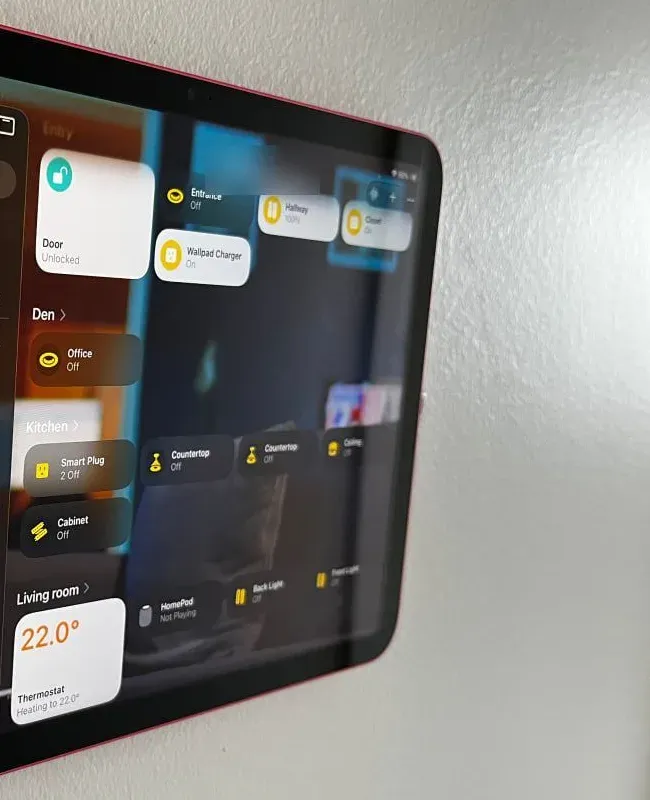
- Service System integration and automation setup Lights, shades, locks, cameras and climate brought into one system with wall panels, the Apple Home app and voice control.
Questions people ask
Do motorized blinds work with HomeKit?
Yes, in two ways. Apple's Home app supports Matter blinds and shades directly. Otherwise a maker's bridge does the joining. Somfy says its TaHoma hub lets shades be voice-controlled through Apple Home, and Hunter Douglas says PowerView shades run from Apple HomeKit among other options. Check the box or the maker's page for the one your shade uses.
Do I need a hub for HomeKit blinds?
Not always, but Apple recommends one. From iOS 18 an iPhone can add Matter accessories without a home hub. A hub, such as a HomePod or Apple TV, lets you control accessories remotely, share access and run automations. A Thread Matter shade also needs a Thread-enabled hub or a supported border router.
What can Siri do with my blinds?
Once a shade is in Apple Home, you can control it by voice through that app; Somfy, for one, says TaHoma shades can be voice-controlled through Apple Home. Saturn works with Apple HomeKit for shades, locks and other devices. Automations such as opening at sunrise need a hub. Voice commands depend on the shade and how it joins, so test them room by room.