
Decision guide in Apple Home and smart home platforms
HomeKit vs Home Assistant in Vancouver, BC: do you need both?
HomeKit vs Home Assistant in Vancouver, BC is not strictly either-or. Home Assistant's HomeKit Bridge makes its entities appear in the Apple Home app and Siri, even for devices that do not support HomeKit. The cost is a second system someone has to keep running. Each bridge holds at most 150 accessories, though more than one bridge can be created.
By the Saturn Home Automation team Updated
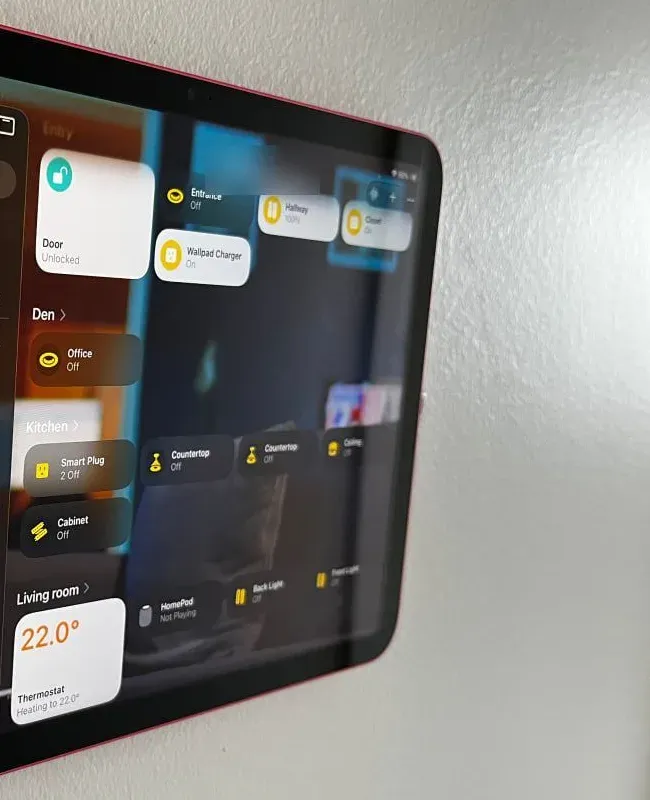
How Apple Home alone compares with the HomeKit Bridge
The comparison above sets Apple Home by itself next to Apple Home with Home Assistant’s HomeKit Bridge. The bridge adds reach, not a new app.
Apple Home supports HomeKit accessories and Matter accessory types such as lights, locks, outlets, switches, thermostats, blinds and shades, and sensors. Home Assistant’s HomeKit Bridge goes further. It makes Home Assistant entities available in HomeKit, so they can be controlled from the Home app and Siri even when the devices do not support HomeKit themselves.
Direction matters here. The HomeKit Bridge sends Home Assistant devices into Apple Home. A separate HomeKit Device integration does the opposite and pulls HomeKit-enabled devices into Home Assistant.
Wondering if Apple Home alone is enough for your devices?
| Apple Home alone | Apple Home with HomeKit Bridge | |
|---|---|---|
| Devices that reach the Home app and Siri | HomeKit and Matter accessories, in the types Apple lists | Those, plus any Home Assistant entity through the bridge, even devices without HomeKit support |
| Direction of the integration | Not applicable | HomeKit Bridge sends Home Assistant devices to Apple Home; the separate HomeKit Device integration pulls HomeKit devices into Home Assistant |
| Limits | Check Apple's own documentation for your hub | At most 150 accessories per bridge; more than one bridge can be created |
| Where changes are made | The Home app, including Home Settings > Home Hubs & Bridges | Home Assistant's interface; changes to what is published or to the bridge's IP addresses need a manual entry in configuration.yaml |
| The home hub's role | Needed for remote control, sharing and automations | The same, and the hub also tracks every bridged accessory; Home Assistant suggests turning HomeKit off on older hubs in homes with many accessories |
When Apple Home alone is enough
Apple Home alone is enough when your devices already speak HomeKit or Matter and you want one place to change things.
Changes happen in the Home app, and hub settings live under Home Settings > Home Hubs & Bridges. A home hub handles remote control, sharing and automations. Nothing else needs to run.
This is also the lower-effort path. Home Assistant reaches devices Apple Home cannot, but the cost is a second system someone has to keep running. If that someone is not you, think twice. The guide to taking over an existing system shows what a handover involves.
When Home Assistant’s bridge is worth it
The bridge is worth it when a device matters to you and has no HomeKit or Matter support.
Plan around three constraints. HomeKit’s protocol allows at most 150 accessories per bridge, and more than one bridge can be created. Changing how entities are published to HomeKit, or the IP addresses the bridge uses, needs a manual entry in configuration.yaml. And the home hub carries more load: Home Assistant says HomeKit relies heavily on it to track every bridged accessory. It suggests turning HomeKit off on older hubs when a home has many accessories, notably cameras or Bluetooth devices.
For Apple Home alone, compare it with a dealer system in HomeKit vs Control4, or with Google’s platform in HomeKit vs Google Home.
What Saturn works with
Saturn works with Apple Home (HomeKit). For a Home Assistant setup, start with its own documentation.
Saturn’s maintenance and support covers scheduled checkups or on-demand support for devices, automations and systems. See the maintenance and support service and the system integration service for what Saturn offers on Apple Home.
The services behind this guide
Questions people ask
Can Home Assistant work with Apple HomeKit?
Yes. Home Assistant's HomeKit Bridge makes Home Assistant entities available in Apple HomeKit. You can then control them from the Home app and Siri, even when the devices do not support HomeKit themselves. A separate HomeKit Device integration goes the other way and pulls HomeKit devices into Home Assistant.
Is there a limit on accessories in the HomeKit Bridge?
Yes. Home Assistant's documentation says the HomeKit Accessory Protocol allows at most 150 accessories per bridge. You can create more than one bridge to go past that number, and each bridge's accessories are still tracked by your home hub.
Do I still need a home hub if I use Home Assistant?
For remote control, sharing and automations in Apple Home, yes. A home hub does those jobs, and Home Assistant's notes say HomeKit relies heavily on it to track every bridged accessory. In a home with many accessories, Home Assistant suggests turning HomeKit off on older hubs.